
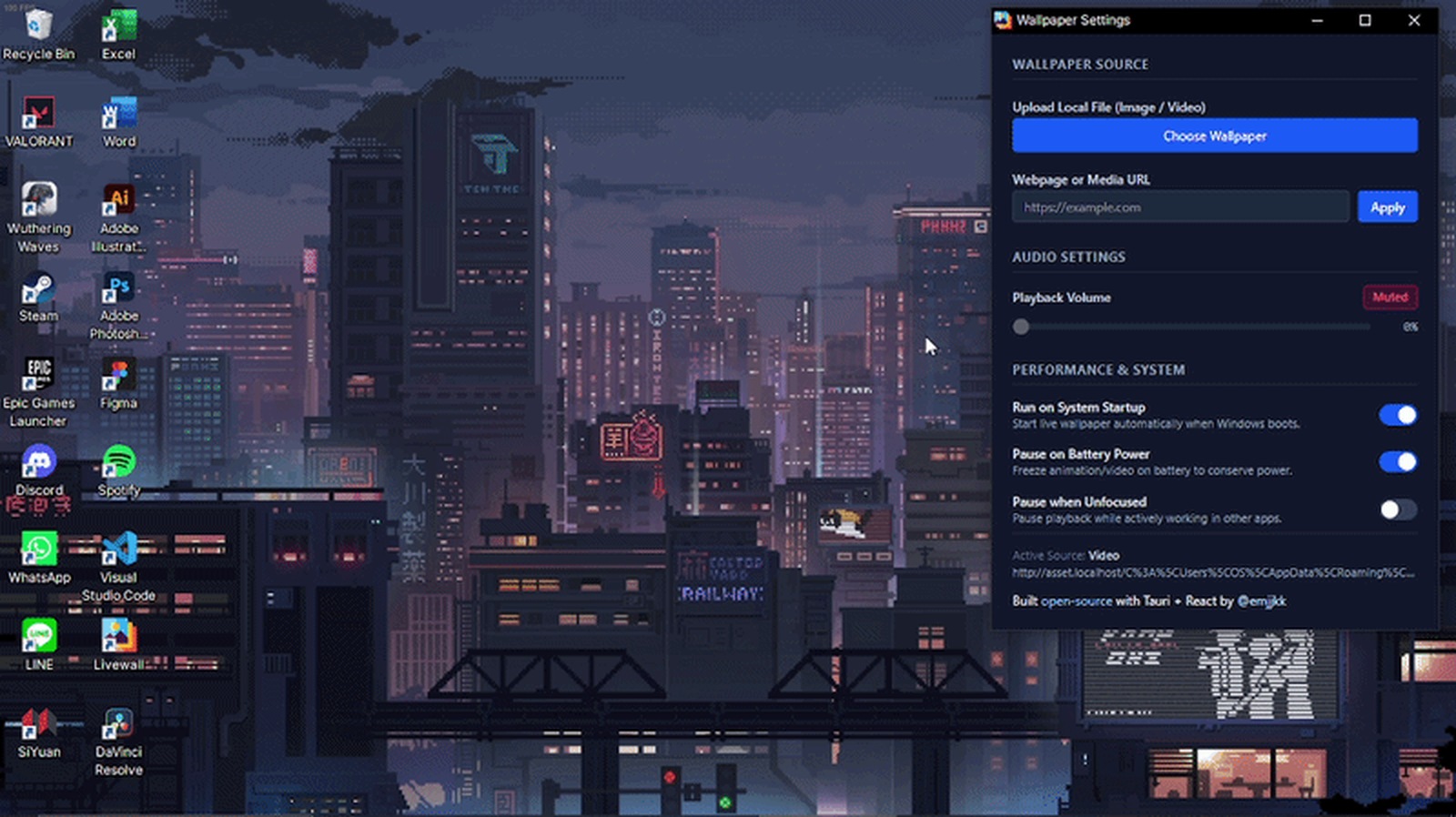
Windows has no supported way to put a live video behind your desktop icons. Every tool that does it, including Emmanuel Alabi's, is exploiting the same undocumented trick, and most of them are heavy enough that you forget they're running until your fans spin up. Emmanuel, a student at the University of the People, built LiveWall specifically because the existing options were too heavy for his 8GB laptop, and ended up learning more about how the Windows desktop actually works than most developers ever need to.
What LiveWall actually does
"A lightweight app that allows you to set any video or site as your wallpaper for Windows 10-11," Emmanuel told us. That's the pitch in one line, but the interesting part is what "lightweight" actually means here: under 10MB installed, and roughly 85MB of RAM while a video is actively playing, numbers most Electron-based tools in this category don't get close to.
RelatedThis Student Built a Media Server That Never Touches Your Data Plan
Built because the existing tools were too heavy
"I built LiveWall because I wanted a live wallpaper engine that was lightweight enough to run comfortably on my 8GB RAM laptop without eating resources in the background," Emmanuel said. "The hardest part was making a normal Tauri/WebView2 window behave like a real Windows wallpaper, especially keeping it attached behind the desktop icons and preventing Windows/WebView2 from throttling or stopping playback." Both of those problems trace back to the same root cause: Windows was never designed to let an app live where LiveWall lives.
The undocumented trick that makes it possible
Windows has a hidden window called Progman that owns the desktop. Send it an undocumented message, 0x052C, and it spawns a sibling window called WorkerW. "Whatever HWND you parent into that WorkerW renders behind the icons, in front of the actual desktop background," Emmanuel explained on his blog. Parent LiveWall's window into WorkerW, and it sits exactly where a wallpaper should: behind SHELLDLL_DefView, the layer your desktop icons actually live on.
That alone isn't enough, because Windows doesn't leave WorkerW alone. "It gets torn down and recreated on sleep/wake, resolution or DPI changes," Emmanuel wrote, so LiveWall runs a watchdog thread that re-asserts the attachment every 30 seconds, a no-op most of the time, insurance the rest of the time. A second problem showed up on the rendering side: Chromium, which WebView2 is built on, aggressively throttles backgrounded windows. "WebView2 has no idea it's rendering a wallpaper; it just sees a window that's never focused and mostly hidden, and throttles it like any other background tab," he said. The fix was three Chromium flags that disable background timer throttling, occluded-window backgrounding, and renderer backgrounding, backed by a second watchdog that checks every four seconds for a video that quietly paused itself and resumes it.
RelatedThis Student Built an Alarm That Guards a Codeforces Streak
| Trait | LiveWall | Typical live-wallpaper tool |
|---|---|---|
| Installed size | Under 10MB | Often several hundred MB |
| RAM while playing video | About 85MB | Frequently 300MB or more |
| Desktop attachment | Watchdog re-asserts every 30s, survives sleep and DPI changes | Can silently detach after a display change |
| Cost and source | Free, open source | Often a paid app |
Our take
Most side projects in this space stop at "it works on my machine." Emmanuel's actually shipped the unglamorous half: a watchdog for a window handle Windows can silently destroy, and three Chromium flags most developers never learn exist because they never need a background tab to behave like it's in the foreground. Building a live wallpaper engine isn't new. Building one deliberately scoped to an 8GB laptop, and getting genuinely close to native resource usage while doing it, is the part worth featuring.
LiveWall was built by Emmanuel Alabi, a student at the University of the People. The project is open: GitHub · build writeup · emjjkk.tech.
- Built something? Doesn't need to be finished or fancy: a side project, a hackathon build, or a class project you're proud of counts.
- Email hello@genztech.blog with what you built, why you built it, a link, and your name plus college.
- See every spotlight so far at genztech.blog/campus-radar.
Reporting based on a direct interview with Emmanuel Alabi and his own published build writeup. GenZTech has not independently benchmarked LiveWall's memory usage.