
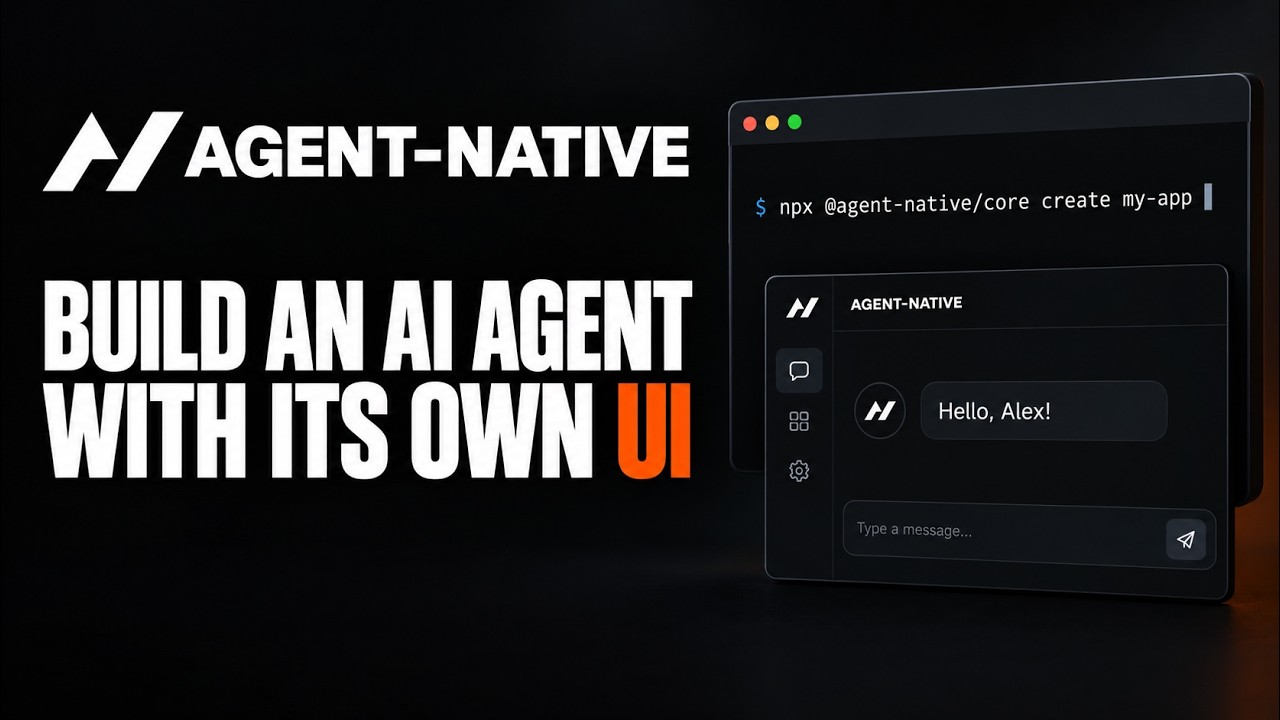
Agent-Native (the repo is BuilderIO/agent-native) is an open source TypeScript framework for building agents that come with a purpose-built user interface instead of a bare chat box. The idea that holds it together is the shared action: you write a capability once as a typed function, the agent gets it as a tool, your React pages call it from code, and the same function is also exposed over HTTP, MCP, A2A and a CLI with one validation layer and one permission check. It is trending on GitHub today with roughly 600 new stars on top of about 5,800, it is MIT licensed, and the core package on npm (@agent-native/core 0.183.0) was published on 21 September 2026. Getting from an empty folder to a running chat agent that calls its first action takes about 15 minutes, most of it waiting for pnpm install.
- One scaffold line gives you a browser UI, authentication, durable conversations, live sync and an
actions/directory with a workinghelloaction, aview-screenaction and anavigateaction already in it. - Local development needs no database server: when
DATABASE_URLis unset the app runs PostgreSQL in-process through PGlite and writes todata/pglite. Production is plain PostgreSQL on Neon, Supabase, RDS or your own box. - You bring the model. The Connect AI panel offers Builder.io free credits or your own key for Anthropic, OpenAI, Google Gemini, OpenRouter, Groq, Mistral, Cohere, or a local Ollama model with no key at all.
- The template ships a code-safety scanner,
agent-native doctor, that ran 12 guards on our fresh app and came back clean. Run it throughpnpm agent-native:doctor, becausepnpm doctoris a different, built-in pnpm command.
The exact steps, start to finish
- Step 1. Check what you already have.
Our test machine reported# The docs require Node.js 22.22 or later and pnpm on your PATH. node --version pnpm --version corepack --version # corepack enable installs pnpm if the line above failsv24.17.0, pnpm11.22.0and corepack0.35.0. You also need one model connection for Step 6: a Builder.io account, an Anthropic or OpenAI key, or Ollama installed locally. - Step 2. Create the app from the Chat template. This is the README's one-liner; it downloads the CLI with npx and scaffolds a standalone project.
It ends withnpx --yes @agent-native/core@latest create my-app --standalone --template chatApp created!and prints the next three commands. The folder containsactions/,app/,server/andagent-native.config.ts, plusAGENTS.mdandCLAUDE.mdfor coding agents. - Step 3. Install dependencies.
Expect a wait: our run resolved 1,003 packages and finished incd my-app corepack enable pnpm install4m 1.6son pnpm 10.29.1 (the template pins its own pnpm through corepack). Peer-dependency warnings about TypeScript 7 and a notice about ignored build scripts are normal. - Step 4. Start the development server.
The script runspnpm devagent-native dev --open, so a browser tab opens on its own. Watch the terminal for[agent-native] My App listening on http://localhost:8080/; the port increments if 8080 is taken. On first boot Vite bundles dependencies (88 seconds for us) and the database plugin applies its migrations ([db] Applying 10 migration(s) on Postgres...). Load the page before that finishes and you get a Nitro503; wait and refresh. - Step 5. Sign in as the local developer. On the Welcome screen click Continue as local dev. It works only on the machine running the server and needs no email or password. You land on a chat screen that says How can I help? Ask the agent to inspect, explain, or change this app.
- Step 6. Connect a model (required, the agent does nothing without it). In the Connect AI panel above the composer choose one of two paths. Connect Builder.io signs you in at builder.io and uses free credits. Custom keys opens a provider picker; for Anthropic it asks for an API key (
sk-ant-...) and a Model ID (pre-filled withclaude-sonnet-5), and its Get an API key link points at console.anthropic.com/settings/keys. The picker also lists OpenAI, Google Gemini, OpenRouter, Groq, Mistral, Cohere and Ollama; the last needs no key because it talks to a local Ollama install. For a deployment the framework readsANTHROPIC_API_KEYas a fallback andAGENT_ENGINEto pin an engine such asanthropic,ai-sdk:openaiorbuilder; put them inmy-app/.env:ANTHROPIC_API_KEY=sk-ant-your-key-here AGENT_ENGINE=anthropic - Step 7. First real use: make the agent call an action. In the chat, type the prompt from the getting-started guide:
The agent findsCall the hello action for Alex.hellofrom its description and input schema, passesAlexasname, and answersHello, Alex!. - Step 8. Call the same action from the terminal. Every action is also a CLI command, no model involved:
Ours printedpnpm action hello --name Alex{ message: 'Hello, Alex!' }after a NodeDEP0190deprecation warning you can ignore. - Step 9. Run the code-safety scanner before you build on it.
A clean run lists the guards and ends withpnpm agent-native:doctorCleanandno findings. Use this exact script name;pnpm doctoris pnpm's own store check and on our machine it failed with an unrelatedENOTEMPTYerror.
What is Agent-Native and why is it trending?
Builder.io started the repository on 12 March 2026 and has been shipping at a pace that is unusual even for this year: the core package is on version 0.183.0 and its latest tagged release, @agent-native/creative-context@0.8.4, landed on 21 September 2026. The pitch in the README is that coding agents work well because their environment gives them context, tools, files, tests and previews, while knowledge-work agents are usually stuck behind a text box. Agent-Native's answer is to make the UI and the agent equal partners: shared actions (the agent calls a capability as a tool, the UI calls the same function from code), shared data (both read and write the same PostgreSQL tables through one Drizzle client, with SSE live sync so a change made by the agent shows up on screen without a refresh) and shared application state (the agent receives the current page, selected record or active view, and a navigate action lets it move you around).
RelatedCua Driver Setup: Let Claude Code or Codex Use Your Desktop
Around that core the project bundles the pieces that normally eat a month: authentication and permissions through Better Auth, durable conversations, skills and memory, scheduled automations, agent teams, and an MCP server so Claude, ChatGPT, Codex or Cursor can discover every action as a tool. The repo also holds nine open source example agents (Clips, Design, Slides, Analytics, Calendar, Mail, Assets, Content and Plans) to start from. The spike lines up with the 0.18x series adding the doctor scanner and migration codemods, which make it feel less like a demo repo and more like something you could run for a team.
How do you install Agent-Native on Windows?
The commands are identical in PowerShell and cmd.exe because the whole toolchain is Node. In PowerShell:
# PowerShell
npx --yes @agent-native/core@latest create my-app --standalone --template chat
cd my-app
corepack enable
pnpm install
pnpm dev# cmd.exe (same lines, same order)
npx --yes @agent-native/core@latest create my-app --standalone --template chat
cd my-app
corepack enable
pnpm install
pnpm devOne Windows note from our run on Windows 10: the install sets up node-pty from a prebuilt binary (the pnpm log showed it copying conpty.dll for win10-x64), so no Visual Studio build tools were needed. If corepack enable complains about permissions, run it once from an administrator terminal.
How do you install it on macOS and Linux?
Same five commands in any shell; Node 22.22 or later from nodejs.org, Homebrew or your distro is enough. Want it in a container instead? The Docker guide says the scaffold does not generate a Dockerfile and that Docker is optional packaging, not a requirement. Its production example is a two-stage node:24-slim image that runs pnpm build and starts node .output/server/index.mjs on port 3000:
docker build -t my-agent-native-app .
docker run --rm -p 3000:3000 my-agent-native-app
For that image you must set DATABASE_URL to a real PostgreSQL server, BETTER_AUTH_SECRET to a random value of at least 32 characters, and whichever provider key you use. Do not copy the local data/ directory into the image; PGlite is local-only storage by design.
How does one action serve the UI, the agent and the CLI?
Open actions/hello.ts in the scaffolded app. It is 14 lines: defineAction with a description (what tells the agent when to use it), a Zod schema (name defaults to world), mcpTool: true, http: { method: "GET" } (read-only, so useActionQuery can call it from React) and a run function that returns the greeting. The getting-started guide then has you create app/routes/hello.tsx, call useActionQuery("hello", { name }) as you type into an input, restart pnpm dev so the route is discovered, and open /hello. Change the return string once and both the page and the agent's answer change, because there is only one implementation. External systems call the same route with a Bearer token minted by npx @agent-native/core@latest connect https://your-app.example.com; an unauthenticated curl against our local app returned {"error":"Unauthorized"}, which is the framework doing its job.
How does it compare with CopilotKit, the Vercel AI SDK and LangGraph?
| Trait | Agent-Native | CopilotKit | Vercel AI SDK | LangGraph |
|---|---|---|---|---|
| What you get from the scaffold | Full app: UI, auth, database, chat, automations, MCP server | React components plus a runtime you wire into your app | Model and streaming primitives; you build the app | Graph runtime for agent logic; UI is separate |
| Tool definition | One defineAction file shared by agent, UI, HTTP, MCP, A2A, CLI | Actions for the copilot, plus your own API routes | Tools per model call | Nodes and tools in Python or JS |
| Data layer | PostgreSQL via Drizzle, PGlite for local dev, owner scoping built in | Bring your own | Bring your own | Checkpointers; app data is yours |
| Model choice | Anthropic, OpenAI, Gemini, OpenRouter, Groq, Mistral, Cohere, Ollama, Builder.io credits | Any via adapters | Any via providers | Any via integrations |
| Opinionation | High: React Router, Nitro, Better Auth, Drizzle are chosen for you | Medium | Low | Medium |
| Licence | MIT | MIT | Apache 2.0 | MIT |
Agent-Native competes with the starter kit you would otherwise assemble from the other three columns, not with any one of them. It uses the Vercel AI SDK provider packages under the hood (the scaffold's package.json lists @ai-sdk/anthropic, @ai-sdk/openai and ai-sdk-ollama), so the trade is flexibility for a finished application shell.
What are the gotchas before you rely on it?
It is version 0.x and moving fast. A package that went from creation in March to 0.183.0 in September will keep changing shape. The project is candid about it: doctor ships a migration-manifest guard that warns when an import you use is scheduled to move, and npx @agent-native/core@latest upgrade --codemods previews the rewrite. Run both before every upgrade.
RelatedHindsight Setup: Give Your AI Agent Memory That Learns
The dependency tree is heavy. One thousand packages and a four-minute install are the price of the batteries, and the first page load 503s while migrations run. None of that is a failure; it just looks like one at 2 a.m.
The local-dev sign-in is a bypass, not an account. Continue as local dev only works on the machine running the server; the no-localhost-fallback guard exists to stop that sentinel identity leaking into a deployed app. Read up on BETTER_AUTH_SECRET, APP_URL and trusted origins before you put a URL in front of anyone.
Data scoping is your job, with a linter behind you. Tables holding per-user data must carry an owner_email column (or spread ...ownableColumns()), and no-unscoped-queries flags any query that touches such a table without an access filter. Good net, but it only catches the patterns it knows.
The free path still needs a model. Ollama is the only choice that needs neither an account nor a key, and a small local model will call hello fine but will not carry a real workload.
- A 1.0 line. The versioning page promises stability guarantees; the codemod tooling suggests the team is clearing the deck for one. That is the point at which this becomes a safe long-term base.
- Builder.io's managed database. The docs list a managed PostgreSQL as planned but not available. When it lands, the cloud path becomes zero-config and the self-host path gets a comparison to live up to.
- The example apps as products. Nine open source agents in one repo is a lot of surface. Watch whether Mail, Calendar and Analytics keep pace with the framework or start lagging its API, because that is the early signal of maintainer bandwidth.
Our take
We have set up a lot of agent frameworks this year and most of them stop where the demo ends: a chat loop, some tools, and a shrug about the interface. Agent-Native is the first one where the scaffold felt like an application we could hand to a colleague on day one, with a login, a database and a scanner that tells us when we have written something dumb. The shared-action idea is the part that will age well; one capability showing up as a tool, a React hook, an HTTP route and an MCP tool with the same schema removes a whole class of drift bugs. The trade-offs are real: you adopt Builder.io's stack choices wholesale, the install is heavy, and 0.x means reading every changelog. If a human and an agent need to work on the same records, start here. If you only need a chat endpoint, this is more framework than you want.
- OfficialBuilderIO/agent-native repository README: quick start line, shared actions, example agents, MIT licence
- OfficialReleases latest tag @agent-native/creative-context@0.8.4, 21 September 2026
- Official@agent-native/core on npm 0.183.0, published 21 September 2026
- OfficialGetting Started prerequisites, create, pnpm dev, Continue as local dev, the hello prompt
- OfficialEnvironment Variables DATABASE_URL, ANTHROPIC_API_KEY, AGENT_ENGINE, BETTER_AUTH_SECRET
- OfficialDatabase PGlite for local development, hosted PostgreSQL for production, owner_email scoping
- OfficialDoctor (Code Checks) the guard list and the migration-manifest preflight
- OfficialDocker production Dockerfile and run commands
- OfficialHTTP API Bearer tokens via the connect CLI
Original analysis by GenZTech. Tool documentation: BuilderIO/agent-native on GitHub.