
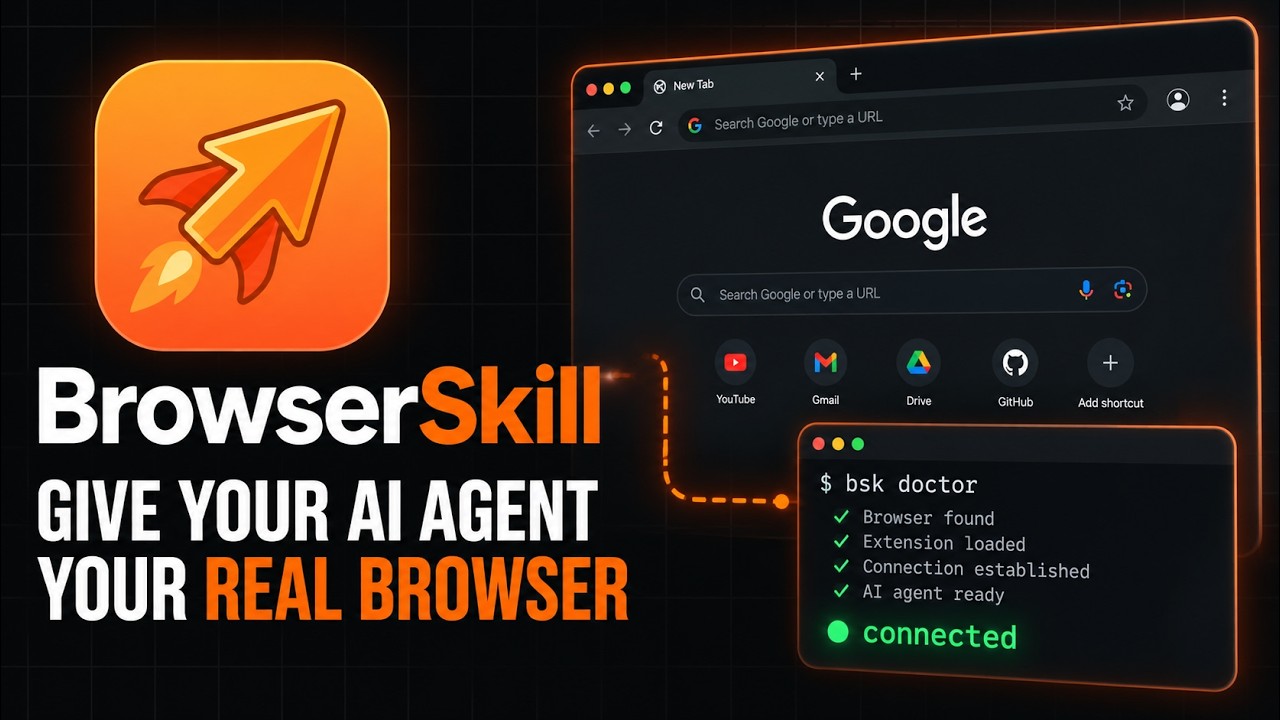
BrowserSkill is Tencent's open source bridge that lets Claude Code, Cursor, Codex and any other shell-capable AI agent drive your real, already logged-in Chrome or Edge, without taking your browser away from you: the agent works in a separate Agent Window and has to borrow one of your tabs explicitly. It is trending on GitHub today with about 1,350 new stars on top of 4,026 total, one day after the v0.3.0 release (September 17, 2026) added remote browser pairing, full-page screenshots and an opt-in operation audit log. Setup takes about ten minutes: one installer line for the bsk CLI, the extension from the Chrome Web Store or Edge Add-ons, one command to drop the skill into your agent, and bsk doctor to confirm the three pieces are talking.
- Three local pieces: the
bskCLI your agent calls from the shell, a local daemon it auto-starts, and the browser extension connected over a WebSocket on127.0.0.1. No cloud, no API key, no separate test account. - The agent gets its own Agent Window inside your browser profile, so it inherits your logins. Touching a tab you already have open requires
bsk tab borrow, which asks for your approval by default and hands the tab back when the session stops. - Built-in human-in-the-loop: when a task hits a CAPTCHA, login page or payment confirmation, the agent calls
bsk request-helpand waits for you, then resumes. - Works with Cursor, Claude Code, Codex, OpenClaw, CodeBuddy, WorkBuddy, Pi, Hermes Agent and Kimi Code through
bsk install-skill; DeepSeek Harness gets a dedicated npm plugin instead. macOS, Linux and Windows x64 builds ship as roughly 5 MB archives; Firefox is planned but not supported yet.
The exact steps, start to finish
- Step 1. Check what you already have.
Any one agent is enough; the skill installer detects which harnesses are present. The CLI is a single static binary (Rust, about 14 MB unpacked on Windows), so there is no Node, Python or Docker requirement for the tool itself.# BrowserSkill needs Chrome or Edge, at least one shell-capable agent, and curl (macOS/Linux) or PowerShell (Windows) claude --version codex --version curl --version - Step 2. Install the
bskCLI. These are the README's exact lines. macOS and Linux install to~/.local/bin:
Windows, in PowerShell (also installs tocurl -fsSL https://raw.githubusercontent.com/Tencent/BrowserSkill/main/install.sh | sh export PATH="${BSK_INSTALL_DIR:-$HOME/.local/bin}:$PATH"~/.local/binand adds it to your user PATH):
From a plain cmd.exe window, either hand that same one-liner to PowerShell withirm https://raw.githubusercontent.com/Tencent/BrowserSkill/main/install.ps1 | iexpowershell -Command "irm https://raw.githubusercontent.com/Tencent/BrowserSkill/main/install.ps1 | iex", or skip the installer entirely: downloadbsk-v0.3.0-x86_64-pc-windows-msvc.zip(5.5 MB) from the Releases page, unzip it, and putbsk.exesomewhere on your PATH. That is what we did for this test. - Step 3. Verify the binary in the shell your agent will use.
Ours printedbsk --versionbsk 0.3.0. The README is explicit that the Unix installer cannot update its parent shell's PATH, so repeat theexportline in a new terminal (or use the absolute path~/.local/bin/bsk), and restart an agent that was already running before the install. - Step 4. Install the browser extension. Open the store listing in the browser you want the agent to use and click Add: Chrome Web Store or Edge Add-ons. Other Chromium browsers should use the Chrome build. Pin the extension and open its popup: it shows the connection status, a browser alias field, and the two Automation settings (confirm before borrowing tabs, allow requests for human help), both on by default.
- Step 5. Install the skill into your agent.
Use Space to select the harness and Enter to install. On our machinebsk install-skillbsk install-skill --listdetected Claude Code (~/.claude/skills), Codex (~/.agents/skills), Cursor, OpenClaw and Hermes Agent. For a scripted install, name the harness:bsk install-skill --harness cursor --json. DeepSeek Harness users skip this step and add the plugin instead:dsh plugin --profile web add @wxg-prc-cpg/browser-skill-dsh-plugin. - Step 6. Run the health check.
Running this auto-starts the daemon. Before the extension connects, ours reportedbsk doctorok daemon running,ok protocol compatibleandFAIL extension connected: 0 browsers connected, with a hint pointing at the two store links. Once the popup shows connected, every line should readok;N/A agent skillonly means no skill was found for the current directory, so double-check Step 5 if that surprises you.bsk statusprints the daemon version, protocol (1.3 in 0.3.0), PID, WebSocket port, connected browsers and active sessions. - Step 7. Give it a first task. Start a fresh agent session, confirm
browser-skillshows up in its skill list, and ask for the README's smoke test:
Under the hood the agent runs/browser-skill open example.com and summarize what is on the page.bsk session start --json, thenbsk navigate https://example.com --session <id>andbsk observe --session <id>, reads the page, and finishes withbsk session stop <id>. A new Agent Window opens in your browser, loads the page, and closes again. When you get the summary back and the window is gone, the install is complete.
What is BrowserSkill and why is it trending?
BrowserSkill is a Tencent project (its DeepSeek Harness plugin ships under the @wxg-prc-cpg npm scope, the WeChat side of the company) and was first pushed to GitHub on June 22, 2026. The repository is a Cargo plus pnpm workspace: crates/bsk-cli holds the Rust CLI and daemon, crates/bsk-protocol the shared wire types and JSON schemas, apps/extension the browser extension, and evals/browser a set of deterministic local pages for scoring how well an agent actually drives a browser. It is MIT licensed, with 287 forks and 4,026 stars as of today.
RelatedCloudflare Security Audit Skill Setup: AI Pen Test Any Repo
The pitch is narrow and useful: agents already have plenty of ways to open a fresh headless Chromium, but very few safe ways to use the browser you are signed into. BrowserSkill's answer is a visible Agent Window in your existing profile, so the agent inherits your sessions on GitHub, your CMS, your internal dashboards, without you exporting cookies or creating service accounts, and without it stealing focus from the tab you are working in. The bsk observe command returns a semantic view of the page with @e3-style element refs the agent can click, fill, hover and scroll to, and bsk record can capture your own clicks into a trace.json the agent replays later.
Why the spike today: v0.3.0 landed on September 16 and was published on the 17th, and it is the biggest release since the project appeared. It adds remote browser connections (an agent on a server pairs with the browser on your laptop through a one-use link, with device credential renewal and revocation), full-page screenshots that follow lazy-loaded content, an opt-in operation audit with 30-day retention on the daemon host, canvas element refs, a native mouse-wheel primitive, a configurable local port, Korean localization, and a documented setup for sandboxed agents whose shells kill background processes. It also tightened the safety model: the deprecated --unattended, tab borrow --no-confirm and BSK_REQUEST_HELP=off flags can no longer override the two switches in the extension popup.
How do you install BrowserSkill on Windows?
You need Chrome or Edge, PowerShell, and one agent. The README's installer downloads bsk.exe to %USERPROFILE%\.local\bin, adds that folder to your user PATH, and even appends an export line to ~/.bashrc for Git Bash users:
# PowerShell
irm https://raw.githubusercontent.com/Tencent/BrowserSkill/main/install.ps1 | iex
bsk --version
bsk install-skill
bsk doctor# cmd.exe (same steps; hand the installer line to PowerShell)
powershell -Command "irm https://raw.githubusercontent.com/Tencent/BrowserSkill/main/install.ps1 | iex"
bsk --version
bsk install-skill
bsk doctorOpen a new terminal after the install so the PATH change is picked up. The 0.2.1 and 0.3.0 changelogs both list Windows-specific fixes (PowerShell 5.1 compatibility, path quoting, staged executable replacement, named-pipe continuity), which is a sign the platform gets real testing but also that it is the youngest of the three. On Windows the daemon listens on a named pipe (\\.\pipe\bsk-daemon-... in our bsk status output) plus the WebSocket port for the extension. If bsk update --yes later reports a staged update, let the replacement finish before checking the version.
How do you install BrowserSkill on macOS and Linux?
The Unix installer picks the right archive for your CPU (Apple Silicon and Intel on macOS; x64 and ARM64 musl builds on Linux), drops the binary into ~/.local/bin, and leaves PATH to you:
curl -fsSL https://raw.githubusercontent.com/Tencent/BrowserSkill/main/install.sh | sh
export PATH="${BSK_INSTALL_DIR:-$HOME/.local/bin}:$PATH"
bsk --version
bsk install-skill
bsk doctorAdd the export line to your shell profile so future agent sessions find it. If you are using a sandboxed agent that reaps background children after every command (the docs cite a Linux WorkBuddy report, and the same applies to some Windows setups), follow the sandboxed-agents guide: pick a persistent BSK_HOME directory, start the daemon once from a host terminal with bsk daemon start, and run every agent-side command with BSK_AUTO_START=0 so the sandbox never tries to spawn its own daemon. The daemon exits on its own after 10 idle minutes with nothing connected; --daemon-idle 2h on start extends that.
What can the agent actually do once it is connected?
The skill file teaches a strict loop: start a session, navigate or borrow, observe, act on a fresh ref, observe again, and always bsk session stop <id> at the end so borrowed tabs go back. The action set in 0.3.0 covers click, fill, select, press, hover, focus, blur, scroll-to, wheel, upload, download, evaluate, console and network reads, mobile emulation, and viewport, element or full-page screenshots. Two rules are baked into the instructions rather than left to the model: never extract cookies, tokens or other credentials from the browser, and never bypass a denied or timed-out borrow by switching to another browser backend. The remote mode in 0.3.0 supports screenshots but not uploads or downloads.
How does BrowserSkill compare with Playwright MCP, Browser Use and Claude in Chrome?
| Trait | BrowserSkill 0.3.0 | Playwright MCP | Browser Use | Claude in Chrome |
|---|---|---|---|---|
| Uses your logged-in profile | Yes, separate Agent Window | Fresh browser by default | Optional, own Chromium | Yes, your Chrome |
| Agent lock-in | Any shell-capable agent | Any MCP client | Python library, its own agent | Claude only |
| Transport | CLI, daemon, extension over localhost | MCP server | Python API | Extension to Claude app |
| Tab borrowing with approval | Yes, default on | No | No | Works in your tabs directly |
| Human hand-off for CAPTCHA and login | bsk request-help | Manual | Manual | Built in |
| Remote agent, local browser | Yes, paired links (0.3.0) | Via CDP endpoint | Cloud option | No |
| Licence | MIT | Apache 2.0 | MIT | Proprietary |
Playwright MCP is still the right tool for testing your own app in a clean browser, and Anthropic's Claude in Chrome is smoother if you live in Claude and do not mind it acting in your actual tabs. BrowserSkill sits between them: real logins like Claude in Chrome, agent-agnostic like Playwright MCP, and with an approval gate on your existing tabs that neither has. The trade is a third moving part (the daemon) and a project young enough that the extension store build can lag the CLI by a release.
What are the gotchas before you rely on it?
PATH inside the agent. The most common "it doesn't work" is an agent whose shell was started before the install. The README says it plainly: a running agent may keep its old PATH even after a new terminal sees bsk. Restart the agent, or call the binary by absolute path.
RelatedCua Driver Setup: Let Claude Code or Codex Use Your Desktop
Doctor passing is not the same as the skill loading. bsk doctor reports N/A when no skill is installed and still passes. Confirm browser-skill appears in the harness's own skill list before blaming the extension.
Version skew. CLI, daemon and extension share a version number from 0.2.0 onward, but the store review can lag the GitHub release. New features such as full-page screenshots and request-help need matching builds; bsk status shows protocol differences, and a version error on one feature does not break the others.
Unattended runs changed in 0.3.0. Scripts that relied on --unattended or --no-confirm to skip the borrow prompt now wait for approval anyway. The only way to run headless-style is to switch the two Automation settings off in the extension popup, which applies to every session in that browser profile. Decide deliberately.
Daemon idle exit. With no browser connected and no session open, the daemon quits after 10 minutes. That is fine for local use because commands auto-start it, but in a sandbox with BSK_AUTO_START=0 you will get a "daemon missing" error until you restart it from the host, as our first bsk status did before we started it.
What it will not capture. Full-page screenshots skip internal browser pages, the Web Store, nested scroll panels and virtualized lists. Page-opened popups do not become controllable automatically. And the security note is worth taking literally: the agent is operating with your real cookies, so treat every task the way you would treat handing your unlocked laptop to a colleague.
- Firefox. The runtime table lists it as planned. Until it ships, this is a Chromium-only story.
- Store cadence. Chrome Web Store and Edge Add-ons approvals set the pace for every new protocol feature; watch whether Tencent starts shipping a downloadable unpacked build alongside releases.
- Remote mode hardening. Pairing links and device revocation are new in 0.3.0. The docs already recommend native TLS or a TLS reverse proxy; the audit log is opt-in and stays on the daemon host.
Our take
The interesting decision here is not technical, it is social: BrowserSkill assumes you want to keep using your browser while the agent uses it too, and builds every rule around that. The Agent Window, the borrow-with-approval flow, the return-on-stop guarantee and the hand-off for CAPTCHAs are all answers to "how do I let an agent into my logged-in browser without regretting it." The install is honest and short, the diagnostics tell you exactly which of the three pieces is missing, and the agent-agnostic CLI means you can switch from Cursor to Claude Code to Codex without redoing anything. The soft spots are the ones you would expect from a three-month-old project: store lag, a Windows path that is still collecting fixes, and a remote mode that is brand new. If you already trust an agent with your terminal, this is the least scary way we have seen to trust it with your browser as well.
- OfficialTencent/BrowserSkill repository, README, install commands, architecture diagram
- OfficialBrowserSkill cli-v0.3.0 release September 17, 2026, five platform archives of roughly 5 MB each
- OfficialCHANGELOG 0.3.0 features, deprecated unattended flags, Windows fixes
- Officialskill/SKILL.md the session, observe, borrow and request-help workflow the agent follows
- OfficialSandboxed agent setup BSK_HOME, BSK_AUTO_START=0, daemon idle timeout
- ReferenceBrowserSkill on the Chrome Web Store the extension half of the install
Original analysis by GenZTech. Tool documentation: Tencent/BrowserSkill on GitHub.