
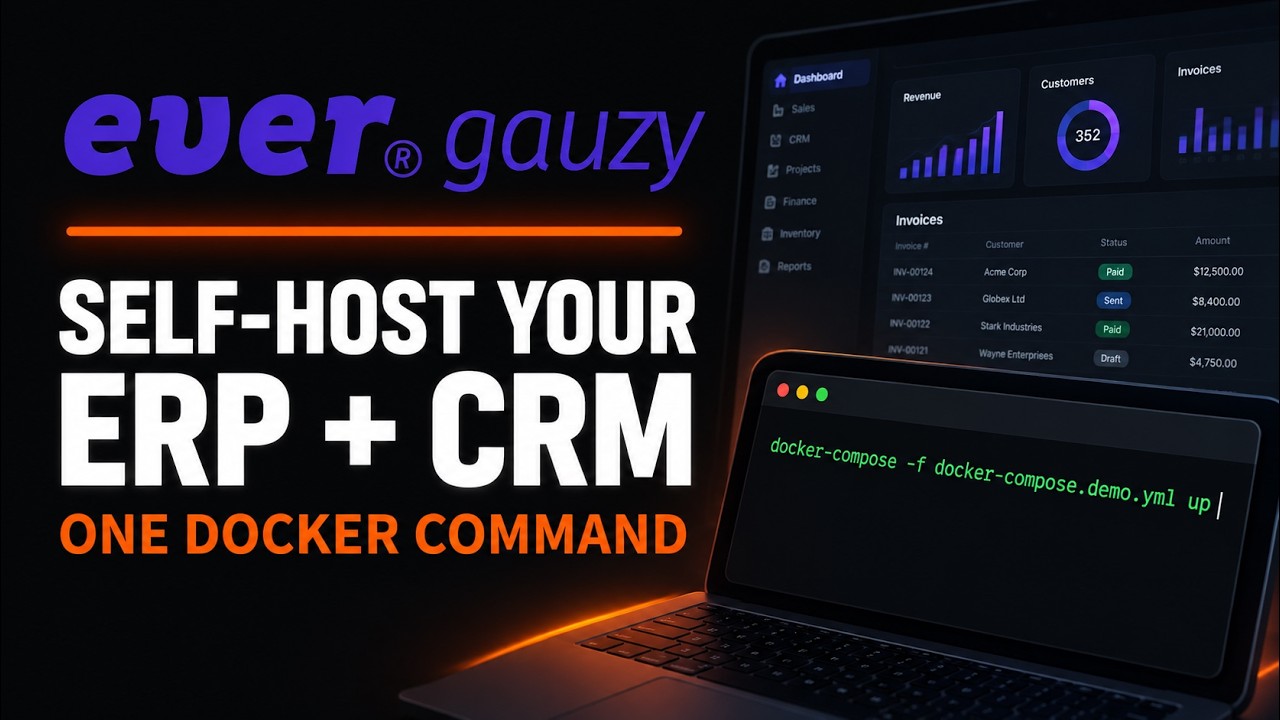
Ever Gauzy is a free, open source business management platform that bundles ERP, CRM, HR, applicant tracking, project management and employee time tracking into one self-hostable app, and today it is climbing GitHub trending with roughly 1,100 new stars in a single day on top of about 5,900 total. If you have been stitching together a CRM, an invoicing tool, a task tracker and a timesheet app, this is the one-repo replacement, and the demo stack comes up with a single Docker Compose command in about 15 minutes, most of it image pulls and database seeding.
- One docker-compose -f docker-compose.demo.yml up starts Postgres, the NestJS API and the Angular web UI from prebuilt images, then seeds demo data automatically.
- Ready-made logins ship in the README: admin@ever.co / admin for the super admin view and employee@ever.co / 12345678 for the employee view.
- Production needs four secrets set in .env.compose before the API will even start; the shipped blanks are refused on purpose.
- Licensing is open core: the default Community Edition is AGPL-3.0, with paid Small Business and Enterprise tiers layered on top.
The exact steps, start to finish
- Step 1. Check your machine is ready.
The README sets a minimum of Docker Compose v2.20. On Windows and macOS that means a current Docker Desktop; on Linux, the docker-compose-plugin package. Budget a few gigabytes of disk for the images and give Docker at least 4 GB of memory, since the API container seeds a full demo database on first boot.# Docker Engine plus Compose v2.20 or newer are the only hard requirements docker --version docker compose version git --version - Step 2. Clone the repository.
The clone is large (the repo is a monorepo with the API, the web app, the desktop apps and every shared package), so expect it to take a couple of minutes.$ git clone https://github.com/ever-co/ever-gauzy.git $ cd ever-gauzy - Step 3. Start the demo stack.
This pulls$ docker-compose -f docker-compose.demo.yml uppostgres:17-alpine,ghcr.io/ever-co/gauzy-api:latestandghcr.io/ever-co/gauzy-webapp:latest, then starts all three. Leave the terminal attached the first time: the API waits for the database health check, runs migrations and seeds demo data, and the README warns that seeding can take a while even with prebuilt images. Settings for this configuration live in.env.demo.compose, where you can change things like the database type. - Step 4. Log in. Open
http://localhost:4200in a browser. Sign in withadmin@ever.coand passwordadminfor the super admin account, oremployee@ever.coand password12345678to see the employee side. Both accounts are created by the seed step, so there is nothing to register. - Step 5. Do something real. From the dashboard, open Sales, then Invoices and click Add to create an invoice, or open Employees, then Manage and click Add to onboard someone. Time tracking lives under the Time Tracking tab of the dashboard, and the seeded projects, tasks and clients are already populated so every screen has data to play with.
- Step 6. Go to production when you are ready. Set the four required secrets in
.env.composeto unique values and switch to the full compose file:
The README is explicit that the API refuses to start on the shipped blank or default secrets, because shared defaults would let anyone forge tokens and sessions. The production compose file also brings up Postgres, Pgweb, OpenSearch, MinIO, Jitsu, Redis, Cube and Zipkin, so this is a much heavier footprint than the demo.# generate one value per secret: JWT_SECRET, JWT_REFRESH_TOKEN_SECRET, # JWT_VERIFICATION_TOKEN_SECRET and EXPRESS_SESSION_SECRET openssl rand -hex 64 # then start the full stack in the background docker-compose up -d
What is Ever Gauzy and why is it trending?
Ever Gauzy is the flagship of Ever Co. LTD's open platform for what it calls collaborative, on-demand and sharing economies. Under the marketing language it is a full-stack TypeScript monorepo: a NestJS API on the back, an Angular front end built on ngx-admin, Nx and Lerna holding the workspace together, and TypeORM, MikroORM and Knex talking to the database. Because of those ORMs the platform ships with SQLite for demos and PostgreSQL or MySQL for real deployments, with MariaDB, CockroachDB, MS SQL and others listed as workable with minor changes. The feature list is long enough to read like a product catalogue: dashboards, time tracking with screenshots and activity monitoring, employee onboarding, candidate interviews, contacts, sales pipelines, proposals, estimates, invoices, payments, expenses, time off approvals, inventory, equipment sharing, goals and KPIs, reports, multi-currency and multi-language. The repository dates back to June 2019 and has 982 forks, so this is not a weekend project; the trending spike coincides with Ever pushing its newer agentic product, Ever Works, at the top of the README, and with a general appetite for self-hosted replacements for per-seat SaaS.
RelatedKaneo Setup: Self-Host a Free Jira Alternative in 10 Minutes
How do you install Ever Gauzy with Docker on Windows, macOS and Linux?
The Docker path is identical on every OS, which is the whole point of it. Install Docker Desktop on Windows or macOS, or Docker Engine plus the Compose plugin on Linux, clone the repository, and pick a compose file. The demo file is the one to start with:
# prebuilt images, minimal containers: API, web UI and Postgres
git clone https://github.com/ever-co/ever-gauzy.git
cd ever-gauzy
docker-compose -f docker-compose.demo.yml up
Then open http://localhost:4200. The API listens on http://localhost:3000/api. On Windows the same commands work unchanged in PowerShell, cmd.exe and Git Bash, since Docker Desktop exposes the same CLI to all three. The images are built by GitHub CI from the head of the master branch, so latest genuinely means latest. If you want to compile everything yourself instead, docker-compose -f docker-compose.build.yml up -d does that, but the README calls it an extremely long process and steers you toward the prebuilt images.
How do you run it from source without Docker?
The manual route is for people who plan to modify the code. It needs Node.js LTS (the README names 22.x or 24.x) and Yarn 1.22.x:
# install Yarn classic, bootstrap the monorepo, run API and UI together
npm i -g yarn
yarn bootstrap
yarn start
Local settings come from .env.local, or you can copy .env.sample to .env and change the database type, name, user and password there. On the first API start the database is seeded with a minimum set of data if no users exist; yarn seed re-initializes it on demand and yarn seed:all generates a very large fake dataset that takes around ten minutes. Both seed commands are flagged unsafe for production. Windows users should run these in PowerShell or cmd.exe with Node on the PATH; the commands themselves are the same in either shell.
What about the desktop and server apps?
If Docker is more than you want, Ever also ships packaged binaries. Gauzy Server bundles the API, a SQLite database (or a connection to external PostgreSQL) and the front end into one installer with a setup wizard, which the README recommends for small and medium organizations. The Gauzy Desktop App is the all-in-one option for a single machine, and the Desktop Timer App is the lightweight time and activity tracker for employees who only need to log hours. The latest tagged release on GitHub is v111.0.11 from July 4, 2026, with gauzy-server-x64-111.0.11.exe at about 231 MB and gauzy-agent-x64-111.0.11.exe at about 133 MB for Windows; the official downloads page covers macOS and Linux too. Desktop apps connect to the server API at http://127.0.0.1:3000/api by default.
RelatedOpenSEO Setup: Self-Host an Open Source SEO Tool
How does it compare with Odoo and ERPNext?
| Trait | Ever Gauzy | Odoo Community | ERPNext |
|---|---|---|---|
| Stack | TypeScript, NestJS, Angular | Python, JavaScript | Python (Frappe) |
| Community license | AGPL-3.0 | LGPL-3.0 | GPL-3.0 |
| Built-in time tracking with screenshots | Yes, desktop timer app | Timesheets only | Timesheets only |
| Applicant tracking | Built in | Recruitment module | HR module |
| Quickest self-host | One demo compose file | Docker image | Docker or bench CLI |
| Maturity of docs | Marked WIP | Extensive | Extensive |
Odoo and ERPNext both have deeper accounting and manufacturing modules and years of documentation behind them. Gauzy's differentiators are the JavaScript-native stack, which matters if your team already lives in TypeScript, and the way employee time tracking, screenshots and activity monitoring are first-class rather than bolted on, which matters if you run contractors or remote teams and bill by the hour.
What are the gotchas before you rely on it?
Five things to know before this becomes your system of record. First, the production compose stack is heavy: beyond the API and UI it runs Postgres, Pgweb, OpenSearch and its dashboards, Dejavu, MinIO, Jitsu, Redis, Cube and Zipkin, so size the host accordingly, and note the README itself recommends Kubernetes over Compose for production. Second, secrets are mandatory and the API will not start with the shipped blanks; generate four separate values with openssl rand -hex 64 (Git Bash includes openssl on Windows) and paste them into .env.compose. Third, the first boot seeds a database and can sit quietly for several minutes, which looks like a hang but is not. Fourth, the licensing is open core: the default is the Community Edition under AGPL-3.0, and the Small Business and Enterprise editions require a license agreement, so read LICENSE.md before building a commercial product on it. Fifth, the desktop timer captures screenshots and app activity; that is a feature for billing but a consent and labor law question in many jurisdictions, so switch it on deliberately. Also, the public demo at demo.gauzy.co resets daily and the hosted SaaS is labeled alpha, so treat both as tours, not workplaces.
- Documentation catching up. The official docs are marked work in progress; the wiki carries most of the real setup detail today.
- The Ever Works tie-in. Ever is promoting an agentic runtime that consumes Gauzy's headless APIs; if that lands, Gauzy becomes the data layer for automated back offices.
- Lighter production compose. A middle option between the three-container demo and the ten-service production file would make self-hosting for a five-person shop far more approachable.
Our take
The interesting thing about Gauzy is not any single module; Odoo has more of those. It is that the demo experience is honest. One compose file, three containers, seeded data and working logins printed in the README means you can evaluate the actual product in a quarter of an hour instead of clicking through a sales deck, and the API refusing to boot on blank secrets is the kind of guardrail most self-hosted projects skip. The risk is scope. A platform that claims ERP, CRM, HRM, ATS and PM at once spreads a maintainer team thin, and the work in progress docs show it. For a TypeScript shop that bills by the hour and wants to own its people and money data, it is worth a weekend. For a manufacturer that needs deep accounting, the incumbents still win.
- Officialever-co/ever-gauzy repository and README, Docker Compose and manual install steps
- OfficialEver Gauzy Releases v111.0.11 server and agent installers
- Officialdocs.gauzy.co platform documentation and the GitHub wiki
- Officialdemo.gauzy.co public demo with the README's login credentials
- ReferenceDocker Compose v2.20 or newer is the minimum the README requires
Original analysis by GenZTech. Tool documentation: ever-co/ever-gauzy on GitHub.