
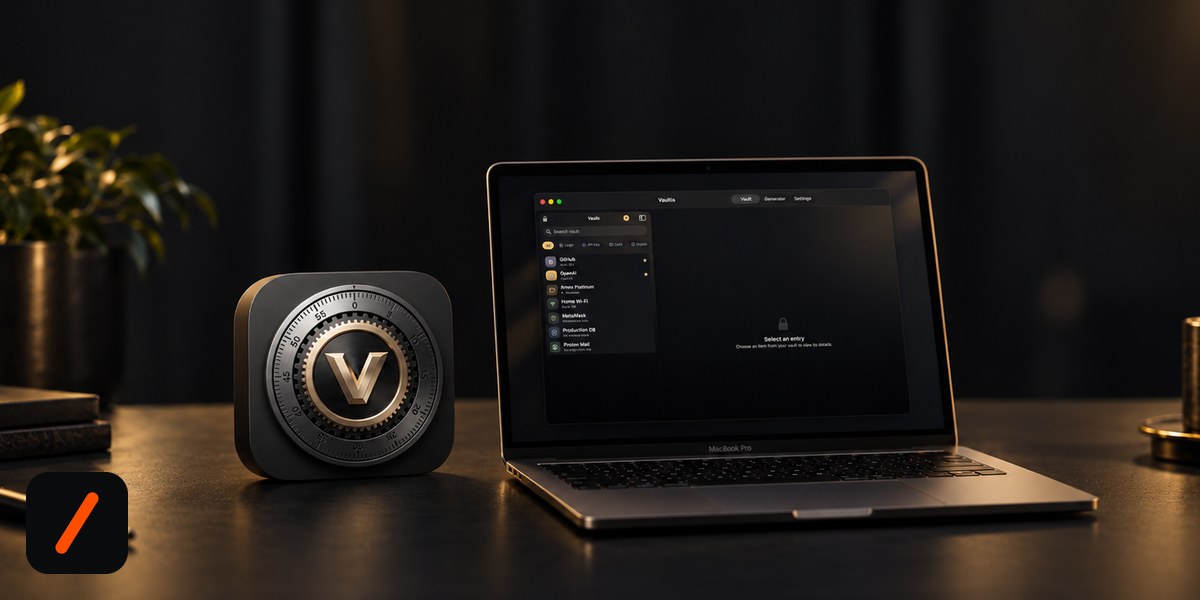
Vaultis is now on the Mac App Store. It is an offline password manager for macOS that keeps passwords, API keys, cards, SSH keys and crypto recovery phrases encrypted on your Mac and nowhere else: no account, no cloud, and no network connections at all. It costs $4.99 once, needs macOS 14 Sonoma or later, unlocks with Touch ID, and Apple's privacy label reads "The developer does not collect any data from this app." It comes from Kore Industries, which also publishes GENZ TECH, and it follows the Android version that shipped on Google Play last week.
Download Vaultis on the Mac App Store macOS 14+ · $4.99 one-time · 1.8 MB · no account
RelatedVaultis Is Now on iPhone and iPad: One $4.99 Purchase Covers Every Apple Device
Update, September 17: Apple has approved Vaultis for iPhone and iPad under the same listing, so the $4.99 purchase now covers iPhone, iPad and Mac. Details in our iPhone launch note.
The short version of what changed since the Android launch: the Mac build is not just a port. It turns the app from a password list into a general-purpose secrets vault. Where the phone app stores logins, cards and notes, the Mac app has typed forms for the things developers and crypto holders actually lose sleep over, and that is the reason it exists as a separate product on a separate platform.
What can you store in Vaultis besides passwords?
Pick a category and the form changes to match it. That is the whole feature, and it is the one Apple's Passwords app does not have. The Mac App Store listing spells out the types:
- Logins: username, password, website.
- API keys: service, key, secret, endpoint. The four fields you actually need to rotate an OpenAI, Stripe or AWS credential without digging through a dotfile.
- Cards: number, expiry, CVV, PIN.
- Bank accounts and crypto wallets: address, recovery phrase, private key.
- Software licenses, SSH keys, database credentials, Wi-Fi networks, servers.
- Secure notes and fully custom fields for anything that does not fit the above.
On top of that there is a generator for random passwords and memorable passphrases, search, favorites, and encrypted backups you export and restore with a separate passphrase. It is a 1.8 MB download, which tells you there is no Electron shell and no analytics SDK riding along.
Is Apple's Passwords app enough, or do you need a separate vault?
For website logins, Apple's Passwords app is the right default and it is free. It stores passwords, passkeys, verification codes and Wi-Fi networks, autofills them in Safari, and syncs everything through iCloud Keychain. Vaultis does not try to replace it for that job.
Where Passwords runs out is everything that is not a login. There is no item type for an API key with an endpoint, a card with a PIN, a database connection string, or a wallet recovery phrase. The usual workaround is pasting those into the notes field of some unrelated login, which is both untidy and tied to iCloud sync you may not want for a seed phrase. Vaultis is the structured, offline home for that second pile of secrets. Most Mac users who care about this will run both: Passwords for the web, Vaultis for the keys.
How does Vaultis keep your data offline on macOS?
Three things stack up. First, there is no account to create and no server to sign in to, so there is nothing for your vault to sync with. Second, the app makes no network connections at all, per its own listing. Every app sold through the Mac App Store runs inside Apple's App Sandbox, where outbound network access is an entitlement a developer has to request explicitly, so this is a claim the platform enforces rather than a line in a privacy policy. Third, the privacy label on the store page is the shortest one Apple offers: "The developer does not collect any data from this app."
If you want to check for yourself, an outbound firewall such as LuLu (free) or Little Snitch will simply never show a connection attempt from the app. That is the test that matters for a secrets vault, and it is one a cloud password manager cannot pass by definition.
What encryption does Vaultis for Mac use?
Entries are encrypted with AES-256-GCM, an authenticated cipher, so a modified vault file fails to open rather than silently returning garbage. The encryption key is derived from your master password with PBKDF2, the key-stretching function defined in RFC 8018 and the one Apple ships natively in its crypto libraries. The master password is never stored or transmitted. Touch ID unlock is backed by the device keychain, so your fingerprint never touches the app; the Secure Enclave decides, and the app only learns yes or no.
One honest note for anyone comparing the two builds: the Android app derives its key with Argon2id, which is memory-hard and the stronger choice against GPU brute force, while the Mac app uses PBKDF2. Both are standard, both are only as good as the master password in front of them, and a long passphrase from the built-in generator closes the gap in practice. We have listed Argon2id parity on the Mac as the first thing to watch below.
Why does offline matter for a password manager in 2026?
Because the server is the attack surface. In February 2026, researchers Matteo Scarlata, Giovanni Torrisi, Matilda Backendal and Kenneth Paterson of ETH Zurich and Università della Svizzera italiana published 25 password-recovery attacks against cloud password managers: 12 against Bitwarden, 7 against LastPass and 6 against Dashlane. The attacks assume a malicious or compromised server, and they exploit features that only exist because there is a server: account-recovery key escrow, vault sharing, and backwards-compatibility downgrades. All three vendors have since shipped countermeasures, and there is no evidence of exploitation in the wild.
RelatedVaultis: An Offline Password Manager With No Cloud and No Account
The point is not that those products are bad. It is that an entire class of attack needs a server to stand on. A vault that has no server, no sharing protocol and no recovery escrow gives that class nothing to push against. What you give up is automatic sync, and whether that trade is worth it depends on what you are storing. For a seed phrase or a production database password, most people would rather move a backup file by hand.
How does Vaultis compare to KeePassXC, Strongbox and cloud managers?
| Option | Vaultis (Mac) | KeePassXC | Strongbox | 1Password | Bitwarden |
|---|---|---|---|---|---|
| Price | $4.99 one-time | Free, open source | $29.99 lifetime or from $24.99/yr | $35.88/yr | Free, $19.80/yr Premium |
| Where the vault lives | Your Mac only | A local .kdbx file | Local or a cloud folder you choose | Vendor servers | Vendor servers (or self-hosted) |
| Account required | None | None | None | Yes | Yes |
| Network access | None | Optional (browser integration) | Optional (sync) | Required | Required |
| Typed forms for API keys, SSH, wallets | Yes, built in | Custom fields, manual | Custom fields, manual | Yes, 20+ item types | Login, card, identity, note, SSH key |
| Browser autofill | No | Yes, via extension | Yes | Yes | Yes |
| Cross-device sync | Encrypted backup file you move yourself | Your own file sync | iCloud Drive and others | Automatic | Automatic |
KeePassXC remains the answer if you want an open file format and a desktop app you can audit line by line. Strongbox is the polished Apple take on the same KeePass format. Vaultis is the option for someone who wants the offline property with zero setup, a $4.99 price instead of a subscription, and forms that already know what an API key or a wallet looks like. It is not trying to autofill your browser, and it says so.
How much does Vaultis cost on the Mac App Store?
$4.99, paid once, with no in-app purchases and no subscription. Family Sharing is enabled, so up to six people on one Apple family plan can install it from a single purchase. The app requires macOS 14.0 (Sonoma) or later, is 1.8 MB, and sits in the Utilities category with a 4+ age rating. The Android version on Google Play is $2.99. There is no bundle because the two are separate storefronts, but even both together cost less than two months of most cloud managers.
What happens if you forget the master password?
The vault stays shut, permanently. Nothing is stored that could reopen it, not on your Mac and not with the developer, which is exactly the property that stops anyone else from reopening it either. The mitigation is the encrypted backup: export one, protect it with a passphrase you keep somewhere separate, and store the file anywhere you like, because without that passphrase it is noise. Do this on day one, before the vault holds anything you would miss.
- Argon2id on Mac. Bringing the Android build's memory-hard KDF to macOS would make the two apps' security stories identical.
- Backup portability. Restoring an Android backup on the Mac, and the reverse, is the obvious next ask now that both platforms exist.
- An iPhone build. Shipped September 17, 2026, as part of the same universal purchase; see the iPhone launch note.
- Outside eyes on the crypto. An independent review or an open-sourced core would turn "the listing says so" into "check for yourself."
Our take
Disclosure: Vaultis is a Kore Industries product, and so is this site, so read this as a launch note from the makers rather than an independent review. With that on the table, the interesting decision in the Mac build is scope. The Android app was a password manager. This one is a secrets manager that happens to also hold passwords, and on a developer's Mac that is the more useful shape: the API key with its endpoint, the SSH key with its host, the recovery phrase that should never have been in a notes app. Pairing it with Apple's free Passwords app for web logins is the setup we would recommend to anyone. The remaining asks are real, PBKDF2 to Argon2id above all, but $4.99 for a vault that cannot phone home is an easy purchase to justify.
Get Vaultis on the Mac App Store $4.99 once · Family Sharing · also on Google Play
- OfficialVaultis - Offline Vault on the Mac App Store id6810739786, $4.99, macOS 14.0 or later, "does not collect any data"
- OfficialVaultis on Google Play com.vaultis.vault, Android, $2.99 one-time
- Officialvaultis.koreindustries.xyz product site
- ApplePasswords User Guide for Mac what Apple's built-in app stores and syncs
- AppleApp Sandbox network access is an explicit entitlement for Mac App Store apps
- ResearchStudy uncovers 25 password-recovery attacks in cloud password managers ETH Zurich and USI, February 2026
- ReferencePassword manager pricing comparison KeePassXC, Strongbox, 1Password, Bitwarden prices as of September 2026
- ReferenceRFC 8018 PBKDF2 specification
Launch note by GenZTech. Vaultis is a Kore Industries product.