
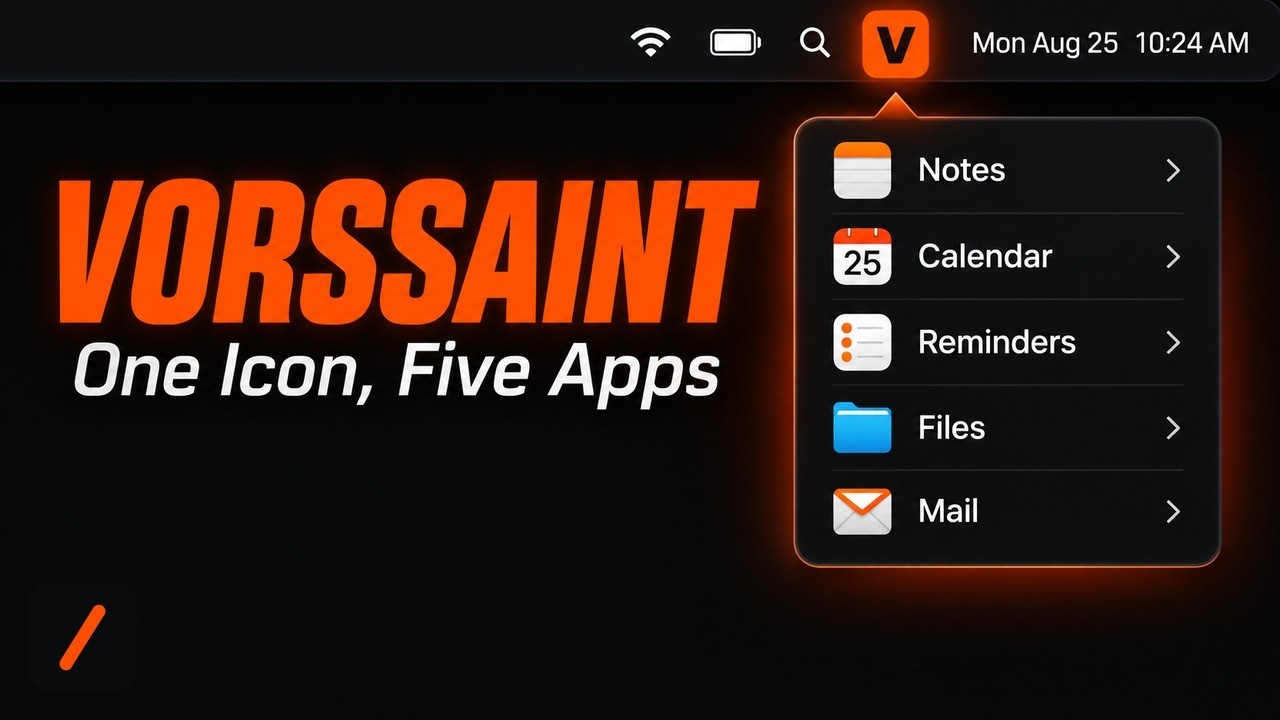
Vorssaint is a free, open source macOS menu bar app that bundles a per-app volume mixer, a real system monitor, a better window switcher and snapper, clipboard history, and an app uninstaller behind a single icon, with no account and no telemetry. It went from its first commit to the top of GitHub's daily Swift trending chart in three days, and today it added 2,530 stars in a single day on top of just over 10,000 total, in under ten weeks of existence.
- Every feature installs and uninstalls independently from the Features hub, so an unused one spends no CPU, memory, or energy at all.
- Homebrew installs it in about two minutes:
brew install --cask vorssaint. A signed, notarized DMG is also on the Releases page. - Every macOS permission it can request is optional, explained per feature, and the app flags any grant nothing currently uses.
- Apple Silicon and macOS 14 Sonoma or newer only. There is no Intel build, and the source is GPL-3.0-or-later.
What is Vorssaint and why is it trending?
Vorssaint is a native Swift and SwiftUI app that lives entirely in the macOS menu bar. Its pitch, in the README's own words, is "one menu bar icon doing the job of a dozen paid Mac apps." Under that icon sit a per-app volume mixer, a system monitor with CPU, GPU, memory and temperature graphs, a richer app switcher and window snapper, Dock preview thumbnails, clipboard history, text snippet expansion, a command bar, screenshot and screen recording tools, a Homebrew and App Store update manager, a cache and log cleaner, and an app uninstaller. The repository is barely two and a half months old, created June 12, 2026, and licensed GPL-3.0-or-later. Its badges currently show it holding both the daily and weekly Trendshift rankings for Swift. The obvious comparison is the pile of utilities people already reach for: iStat Menus for monitoring, Rectangle for window snapping, Bartender for menu bar tidiness, CleanShot X for capture and clipboard. Vorssaint's bet is that most people do not want to manage five subscriptions and five menu bar icons when the jobs can live behind one, free, with no account required.
RelatedWorld Monitor Setup: Self-Host a Global Intel Dashboard
How do you install Vorssaint on a Mac?
The maintainers ship it two ways. With Homebrew already installed, one command handles it:
# installs the app via Homebrew Cask
brew install --cask vorssaint
Without Homebrew, grab the disk image from the GitHub Releases page and drag Vorssaint into Applications. Builds are signed with an Apple Developer ID and notarized, so macOS opens them without the usual unsigned-app warning, and permissions survive future updates. The current release is v3.3.2, published August 20, 2026, and the DMG asset is about 11.6 MB. One hard requirement to check first: Vorssaint needs Apple Silicon and macOS 14 Sonoma or newer. There is no Intel build.
How do you install only the features you actually use?
Nobody wants all fifteen-plus features running at once, and Vorssaint is built around that idea directly. On first launch it offers three one-click bundles, Essentials, Windows, and Battery and quiet, plus a visual picker for turning on individual features one at a time. The app only asks for the macOS permissions those specific choices require, and every one is optional and reversible later from Settings. The Features hub is where this pays off: uninstalling a feature there removes it from the running app entirely, not just from view, so it stops using CPU, memory, and energy the moment it is off, and reinstalling it brings your old settings back rather than resetting them. Each feature also carries an energy badge describing what it keeps alive while on. The permissions themselves are worth reading before granting: Accessibility unlocks the switcher, Dock features, and mouse and keyboard tools; Screen Recording covers previews, screenshots, and captures; Full Disk Access is optional, used only for deeper cleaner and uninstaller scans.
How do you build it from source or remove it completely?
The GPL license means the source is open, and building it yourself only needs Xcode Command Line Tools:
# build and optionally install into Applications
git clone https://github.com/vorssaint/vorssaint-utils.git
cd vorssaint-utils
./build.sh            # compile, generate the icon, assemble the signed bundle
./build.sh --install  # the same, then install into Applications and launch
The GPL covers the source, but the name, icon, and look are covered separately under a trademarks file, so forks need their own identity. Removing the app is just as direct. Through Homebrew:
RelatedWeKnora Setup: Self-Host Tencent's Open Source RAG Platform
# removes the app via Homebrew Cask
brew uninstall --cask vorssaint
To strip out settings and revoke every permission grant along with the app itself, the repo ships a dedicated script:
# quits the app, drops the login item, resets privacy grants, deletes every trace
./Tools/uninstall.sh
How does it compare to buying these tools separately?
| Trait | Vorssaint | iStat Menus | Rectangle Pro | CleanShot X |
|---|---|---|---|---|
| Price | Free, GPL-3.0 | One-time license | One-time license | One-time or subscription |
| Account required | No | No | No | Yes, for cloud sync |
| Open source | Yes | No | No | No |
| Scope | Sound, system, windows, clipboard, capture, cleanup | System monitor only | Window management only | Screenshots and clipboard only |
| Uninstall unused features | Per feature, from within the app | N/A, single purpose | N/A, single purpose | N/A, single purpose |
The single-purpose apps still have an edge in raw depth, iStat Menus in particular has years of monitoring detail Vorssaint has not had time to match yet. What Vorssaint changes is the math: instead of paying for and running four or five separate menu bar apps, most of that functionality collapses into one free, auditable codebase.
What are the gotchas before you rely on it?
A few things are worth knowing before this replaces tools you depend on daily. It is Apple Silicon only, so an Intel Mac cannot run it at all. The project is very young, under three months old at the time of writing, so it carries less real-world hardening than utilities that have shipped for a decade; do not bet a production setup on day one. Some of the most useful features, the switcher, window snapping, and clipboard cut-and-paste, need Accessibility and Screen Recording permissions, broad grants for any menu bar app; read what each one unlocks before accepting. Official builds come only from the maintainer, so a build from anywhere else is not guaranteed to be the real thing.
- Monetization path. The README links a Buy Me a Coffee page for the maintainer; whether the project stays fully free or introduces a paid tier is worth tracking.
- Platform reach. Vorssaint is macOS-only today; a Windows or Linux companion would be a bigger move than any single new feature.
- Permission scope as features multiply. The per-feature install model keeps this honest so far; worth watching if that holds as the feature list grows.
Our take
The strongest argument for Vorssaint is not any single feature, it is the bundling, done with real restraint. Most all-in-one menu bar apps either do everything badly or quietly demand every permission macOS offers on day one; Vorssaint's Features hub, where an unused tool truly stops running rather than idling in the background, suggests the team cares about the tradeoffs it asks users to accept. Going from zero to 10,000 stars and the top of the Swift trending chart in ten weeks says the pitch is landing. The honest caveat is time in the field: iStat Menus and Bartender have years of edge cases a two-month-old codebase has not hit yet. For anyone juggling four or five paid Mac utilities, running the Homebrew cask alongside them for a week, rather than replacing everything on day one, is the sensible way to find out if it covers what you actually use.
- Officialvorssaint/vorssaint-utils repository and README
- OfficialVorssaint Releases v3.3.2 signed DMG
- Officialvorssaint.com product site
- ReferenceHomebrew package manager used for install and uninstall