
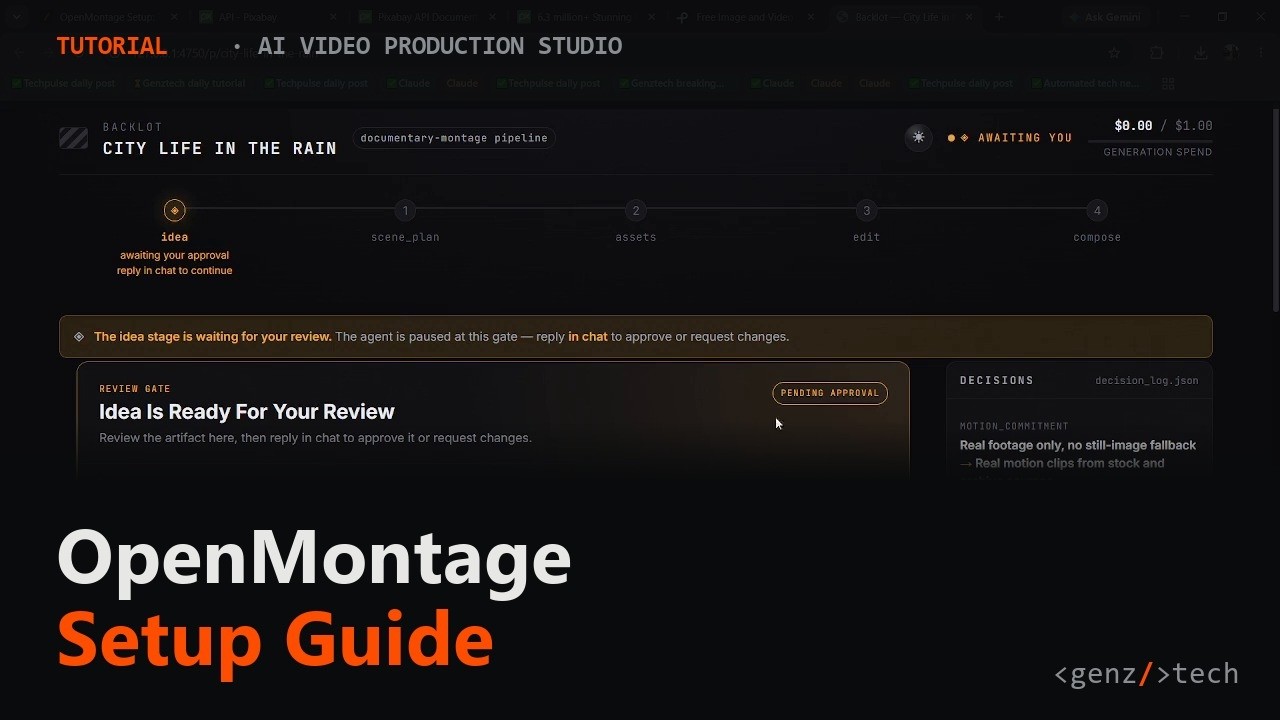
OpenMontage is a free, open-source system that turns your existing AI coding assistant into a video production studio: it researches a topic, writes a script, sources or generates visuals, edits, and renders a finished .mp4, all from a plain-English prompt. It just picked up 1,144 stars in a single day on GitHub's trending page, on top of more than 53,000 total, and earns that attention by being genuinely new rather than another wrapper around one video-generation API.
- Install is a straight
git cloneplus onemake setupcommand; the real prerequisite most readers won't already have is an AI coding assistant like Claude Code or Cursor to drive it. - There is no code orchestrator. Your AI assistant reads YAML pipeline manifests and Markdown "skill" files, then calls Python tools itself, stage by stage.
- You can run it for $0 using Pexels, Pixabay stock footage and the local, offline Piper TTS engine; paid providers like fal.ai, OpenAI or Runway unlock AI-generated visuals when you want them.
- Every render passes a self-review gate first: ffprobe validation, frame sampling and audio analysis all have to pass before you see the output.
The exact steps, start to finish
- Check prerequisites. You need Python 3.10+, Node.js 18+, FFmpeg, git, and an AI coding assistant (Claude Code, Cursor, Copilot, or Codex) already installed:
python --version node --version ffmpeg -version git --version - Clone the repo:
git clone https://github.com/calesthio/OpenMontage.git cd OpenMontage - Run setup. The exact commands depend on which Windows shell you are using, PowerShell and classic Command Prompt do NOT accept the same syntax here (confirmed the hard way:
Copy-ItemandActivate.ps1both silently fail in real cmd.exe). Windows PowerShell:
Command Prompt (cmd.exe):py -3 -m venv .venv .\.venv\Scripts\Activate.ps1 python -m pip install -r requirements.txt cd remotion-composer npm install cd .. python -m pip install piper-tts Copy-Item .env.example .env
Ifpy -3 -m venv .venv .venv\Scripts\activate.bat python -m pip install -r requirements.txt cd remotion-composer npm install cd .. python -m pip install piper-tts copy .env.example .envnpm installfails withERR_INVALID_ARG_TYPE, runnpx --yes npm installinstead. - Get two free API keys. Pexels: pexels.com/join, then pexels.com/api. Pixabay: pixabay.com/accounts/register, then pixabay.com/api/docs. The setup already created a
.envfile inside theOpenMontagefolder, it just starts with a dot, so it is easy to miss in File Explorer. Open it directly from the same terminal instead:
Paste both keys in and save:notepad .envPEXELS_API_KEY=your-pexels-key-here PIXABAY_API_KEY=your-pixabay-key-here - Open the folder in your AI coding assistant.
- Give it the prompt:
"Make a 75-second documentary montage about city life in the rain. Use real footage only, no narration, elegiac tone, with music." - Let it run. The agent picks a pipeline, researches, scripts, pulls footage, edits, and self-checks the render (ffprobe, frame sampling, audio levels) before handing you the file.
What is OpenMontage and why is it trending?
OpenMontage bills itself as the first open-source, agentic video production system, and the claim holds up. It's built around 11 named pipelines (Animated Explainer, Documentary Montage, Talking Head, Clip Factory, Localization & Dub and more), each a YAML manifest describing a sequence of stages: research, proposal, script, scene plan, assets, edit, compose. Every stage has a matching "director skill," a Markdown file teaching the AI agent how to execute it. The repository ships over 100 production tools and 700-plus skill files that encode actual craft decisions, not just API glue.
RelatedPI-Desktop Setup: Run Any AI Coding Agent Locally, Free
It was created in March 2026 by Calesthio, a small AI labs outfit, and has already carried a "#1 Repository of the Day" badge on GitHub trending more than once. The spike tracks a broader shift: coding agents got good enough at multi-step tool use that someone pointed one at video production, and the result behaves less like a script and more like a junior editor who does the research and shows drafts before committing to a final render.
What do you need before you install it?
Four things, and the least obvious one is the last: Python 3.10+, FFmpeg, Node.js 18+, and an AI coding assistant such as Claude Code, Cursor, GitHub Copilot, Windsurf or Codex. That last item isn't optional polish, it's the runtime. OpenMontage has no built-in orchestrator; your coding assistant reads the manifests and drives the pipeline, so if you don't already have one working, budget time for that setup first.
How do you install OpenMontage?
The standard path, macOS, Linux or Windows with a Unix-like shell:
# clone the repo and run the setup target
git clone https://github.com/calesthio/OpenMontage.git
cd OpenMontage
make setupNo make? The README documents an explicit fallback. macOS/Linux:
# macOS / Linux, no make required
python3 -m venv .venv && source .venv/bin/activate && python -m pip install -r requirements.txt && cd remotion-composer && npm install && cd .. && python -m pip install piper-tts && cp .env.example .envWindows PowerShell:
# Windows PowerShell, no make required
py -3 -m venv .venv; .\.venv\Scripts\Activate.ps1; python -m pip install -r requirements.txt; cd remotion-composer; npm install; cd ..; python -m pip install piper-tts; Copy-Item .env.example .envGotcha: if that npm install step fails on Windows with ERR_INVALID_ARG_TYPE, the README's fix is npx --yes npm install instead.
What do you need to configure before your first render?
One step the install commands don't cover: without at least one image or video source configured, the agent has nothing to pull footage from. The fastest zero-cost path is two free stock providers, plus the Piper TTS you already installed.
- Pexels: create a free account at pexels.com/join, then open pexels.com/api and copy your key.
- Pixabay: create a free account at pixabay.com/accounts/register, then open pixabay.com/api/docs, your key is shown at the top of that page.
Open the .env file the setup created and add both:
# .env
PEXELS_API_KEY=your-pexels-key-here
PIXABAY_API_KEY=your-pixabay-key-hereThat's the whole $0 stack: Pexels and Pixabay for footage, Piper for narration, no card required for either signup.
RelatedTeamAI Setup: Sync AI Coding Skills Across Your Team
How do you actually make a video with it?
Once setup finishes, you don't run a CLI command to render anything. You open the project folder in your AI coding assistant and describe the video in plain English:
"Make a 75-second documentary montage about city life in the rain.
Use real footage only, no narration, elegiac tone, with music."From there the agent picks a pipeline, works through research, script, scene plan, assets and edit in order, and scores every provider choice with a decision log you can inspect. You approve the creative calls as they come up, and nothing renders until a validation gate checks delivery promises; the output itself then gets re-checked with ffprobe, frame extraction and audio analysis before it reaches you.
What does it actually cost to run?
Less than the pipeline list makes it look. The provider guide lays out a $0-first order: Pexels and Pixabay for free stock footage, a Google API key for TTS (1 million characters a month free), ElevenLabs for premium voice (10,000 characters free), and Piper for a fully offline fallback. That stack alone covers the Documentary Montage pipeline end to end, since it draws from Pexels, Pixabay, Archive.org, NASA and Wikimedia rather than generating anything. Want AI-generated visuals instead? Real money enters: fal.ai runs roughly 3 cents an image, OpenAI's GPT Image 2 about a nickel, and Runway's Gen-4 sits behind a flat $12-a-month plan. None of it is required for a working video, but the full "12 pipelines" range only opens up once you've funded a paid provider.
| Trait | OpenMontage | Runway Gen-4 | Pika | OpenAI Sora |
|---|---|---|---|---|
| Where it runs | Your machine, via your coding agent | Cloud only | Cloud only | Cloud only |
| Base cost | Free, open source (AGPLv3) | $12/mo+ | Subscription tiers | Subscription tiers |
| Full production pipeline | Yes: research, script, edit, compose | No, clip generation only | No, clip generation only | No, clip generation only |
| Requires an AI coding assistant | Yes, it's the orchestrator | No | No | No |
| Real-footage option, no generation cost | Yes, Documentary Montage pipeline | No | No | No |
The honest framing: Runway, Pika and Sora are clip generators, prompt in, seconds of video out. OpenMontage is closer to a production studio that uses those same providers as interchangeable tools inside a bigger, self-directed workflow.
What are the gotchas before you rely on it?
Four things worth knowing first. The license is AGPLv3, a strict copyleft: private use is unrestricted, but standing it up behind a network service for other people means the AGPL's network-use clause obligates you to release your modifications too. It genuinely requires an AI coding assistant capable of multi-step tool use; without one already set up, there's nothing here to run. The free-tier stack covers real-footage videos completely, but any pipeline leaning on AI-generated imagery will eventually want a funded provider key. And first install pulls in Python, Node, FFmpeg and a full Remotion toolchain, so budget 10 minutes, not 2.
- Agent-first tooling spreading beyond video. If manifest-plus-skill-file architecture works this well here, expect the same pattern applied to other creative-production domains next.
- AGPLv3 adoption friction. Copyleft licenses make company legal teams nervous; watch whether OpenMontage adds a commercial license option the way other AGPL projects eventually do.
Our take
OpenMontage is a genuinely interesting bet on where agentic tooling goes next: instead of building another orchestration layer in Python, it puts the logic in plain-language skill files and lets the coding agent you already trust with your codebase run the show. That's a smart use of what coding agents are good at right now, multi-step tool use with self-review baked in, applied to a domain that has nothing to do with code. The catch is the same thing that makes it interesting: you need an AI coding assistant on hand for this to be more than a folder of scripts, narrowing the audience to people who already live inside one. For that audience, a $0 real-footage pipeline plus an honest path to paid AI generation when you want it is a fair trade for a 10-minute install.
- Officialcalesthio/OpenMontage repository, README and Quick Start
- OfficialOpenMontage Provider Guide setup order, pricing and free tiers per provider
- Officialopenmontage.video project site
- ReferenceFFmpeg the compose/render dependency OpenMontage requires locally
Original analysis by GenZTech. Tool documentation: calesthio/OpenMontage on GitHub.