
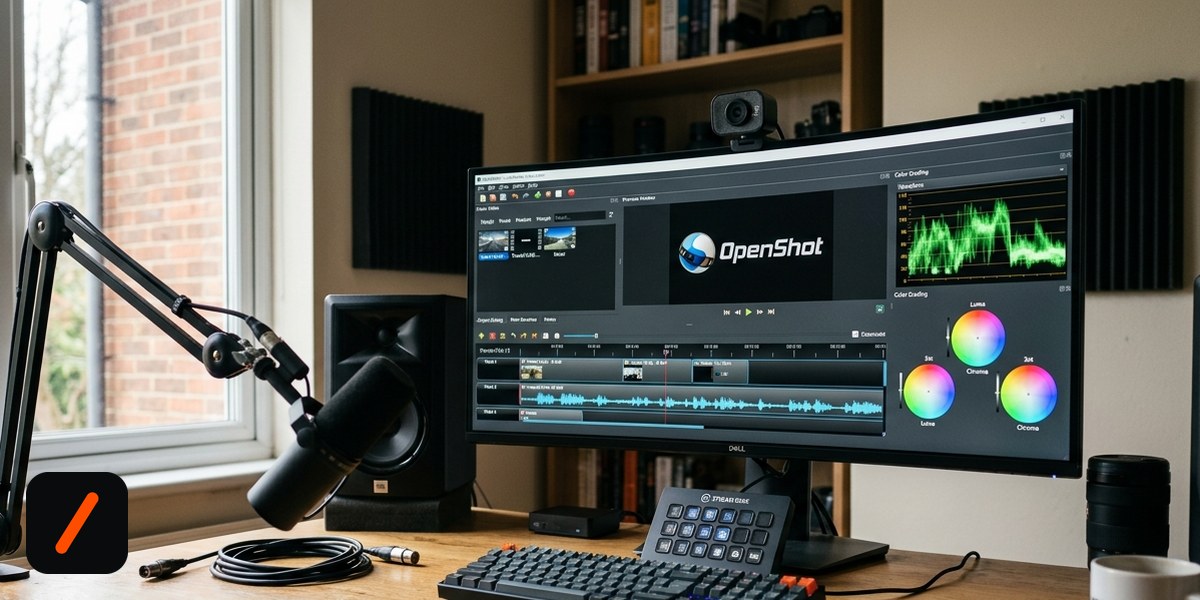
OpenShot just shipped its biggest update in years. Version 4.0, released Sunday, turns the free, open-source video editor into something closer to a full production suite: it can now record your screen, webcam, mic and system audio directly, grade color with real scopes and curves, and run on a rebuilt Qt6 foundation that finally plays nice with Wayland.
- OpenShot 4.0 ported its entire UI from Qt5 to Qt6, fixing years of Wayland glitches and unreliable HiDPI scaling on Linux.
- A new Recording View captures screen, webcam, microphone and system audio as separate tracks you can edit independently afterward.
- A dedicated color-grading workspace adds scopes, curve editing and color wheels, tools previously exclusive to paid software like DaVinci Resolve.
- New ComfyUI-powered audio tools handle denoising, cleanup and voice enhancement locally, no subscription required.
What actually changed in OpenShot 4.0?
The headline feature is the new Recording View. Point it at your screen, your webcam, your microphone, or all three, and OpenShot writes each source to its own track so you can edit them independently later, exactly the workflow people currently stitch together with OBS Studio plus a separate NLE. Alongside it sits a full color-grading work view: waveform and vectorscope monitors for judging exposure and saturation, curve editing for tonal adjustments, and three-way color wheels for lift, gamma and gain. Those are tools long associated with paid software, and OpenShot is shipping them for free.
RelatedThis Student Built a Media Server That Never Touches Your Data Plan
Why does the Qt5-to-Qt6 rewrite matter?
It sounds like plumbing, but the Qt6 port is what makes the rest of the release usable day to day. OpenShot has run on the aging Qt5 toolkit since its early years, and Linux users running Wayland compositors, which is now the default on most major distributions, have dealt with rendering glitches and blurry scaling for a long time. Qt6 fixes both. Fractional scaling on a 150% HiDPI laptop display now behaves the way it should, and windows no longer misbehave under GNOME or KDE's Wayland sessions. It is not a flashy feature, but it is the difference between a tool people fight with and one they forget is even a separate app.
What else is packed into this release?
Past the two headline additions, OpenShot 4.0 adds a handful of features aimed at people editing more than home movies. New ComfyUI-based audio processing handles denoising, cleanup, repair and voice enhancement locally, without a subscription or a round trip to the cloud. A new Analysis View gives editors more insight into their footage. The Object Detection filter now lets you pick which YOLO model runs, trading speed for accuracy depending on the clip. Rounding it out are new shadow and glow effects and a set of film-grain presets for people who want texture without hand-rolling a grain overlay.
Who is this release actually for?
Screen recorders and tutorial creators are the most obvious winners: a YouTuber currently juggling OBS for capture and OpenShot for editing can now do both in one app, one project file, one export. Hobbyist colorists get a real grading toolkit without buying DaVinci Resolve Studio or a Premiere subscription. And Linux users, who make up a disproportionate share of OpenShot's audience, get a genuinely more stable app day to day thanks to the Qt6 port, independent of any of the new features.
RelatedSwift 6.4 Lands: Swift Build Goes Default, Wasm Gets 40x Faster
How does it stack up against the alternatives?
| Editor | OpenShot 4.0 | Shotcut | Kdenlive | DaVinci Resolve (free) |
|---|---|---|---|---|
| Price | Free, open source | Free, open source | Free, open source | Free tier, paid Studio |
| Built-in screen/webcam recording | Yes (new in 4.0) | No | No | No |
| Color grading suite | Scopes, curves, wheels | Basic filters | Basic filters | Industry-standard, deepest tool here |
| UI toolkit | Qt6 | Qt5 | Qt5/KDE Frameworks | Proprietary |
| Platforms | Linux, Windows, macOS | Linux, Windows, macOS | Linux, Windows, macOS | Linux, Windows, macOS |
What's next for OpenShot?
The project has not published a public roadmap for 4.1, but the pattern is consistent with a team folding adjacent tools into the core app rather than leaving users to assemble their own pipeline. Expect incremental refinement of the Recording View (multi-monitor capture is an obvious gap) and continued tuning of the color tools as real editors put them through actual projects, since scopes and curves are the kind of feature that gets refined hard after release based on what colorists actually ask for.
- Multi-monitor recording. The current Recording View captures one display at a time; streamers and multi-app tutorials will push for more.
- Performance on the color tools. Scopes and curve editing are compute-heavy; how OpenShot's renderer holds up on longer 4K timelines is untested at scale.
- Whether this pulls users off OBS+editor combos. If OpenShot's recorder is reliable enough, it removes a whole app from a lot of people's workflow.
Our take
Folding a recorder and a color suite into a free editor is a bigger deal than the modest HN discussion around it suggests. Most people don't need DaVinci Resolve's full grading depth, they need scopes so they stop guessing whether a clip is overexposed, and OpenShot 4.0 gives them that without another app, another login, or another subscription. The Qt6 rewrite is the less glamorous win, but it is the one that will actually get noticed first, by every Linux user who has spent the last two years fighting blurry Wayland scaling.
- OfficialOpenShot 4.0 release announcement via OpenShot.org blog, Aug 30, 2026
- ReferenceOpenShot 4.0 Released In Adapting Video Editor UI To Qt6 via Phoronix
- ReferenceHacker News discussion via 68 points, 19 comments
Original analysis by GenZTech, based on the OpenShot project's own release notes.